Our own player engine
Kiltala Engine replaces both Apple’s player and VLC. It plays MKV, TS, HLS, DASH, HEVC and HDR on one engine, in AirPlay and Picture in Picture too, and you never have to switch players.
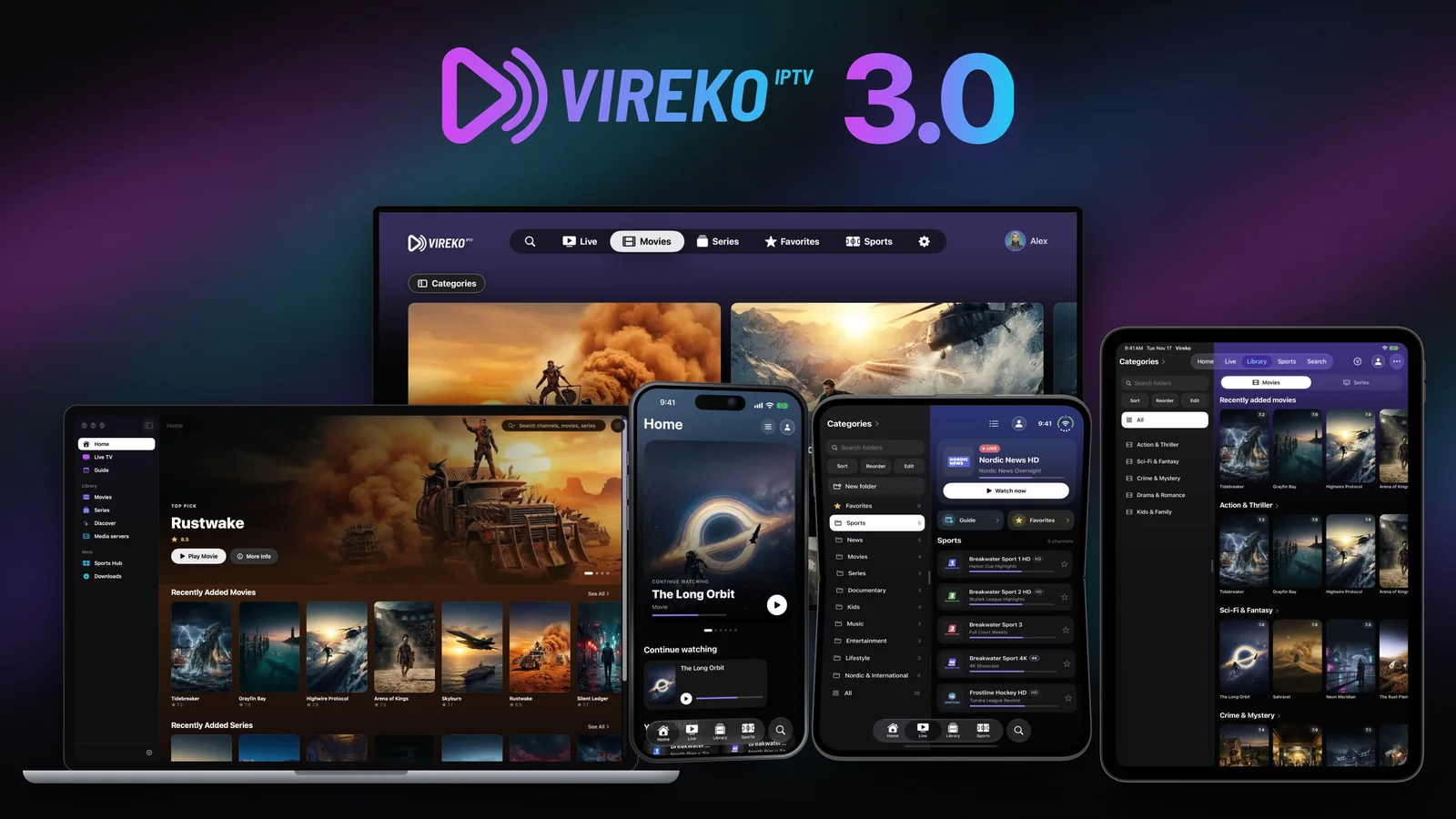
Vireko 3.0 is the biggest Vireko update yet. The app has its own player engine, an all-new design, profiles and kids profiles on iPhone and iPad, an easier start and a rebuilt sports hub. At the same time, Premium prices went down for good. This guide walks through everything the update brings to iPhone, iPad, Apple TV and Mac.
Vireko 3.0 is a free update for everyone who uses Vireko on iPhone, iPad, Apple TV or Mac. The highlights: our own player engine, Kiltala Engine, which plays every format without switching players; a new dark design; profiles and kids profiles; a live preview and a small player window; an easier start with smart channel filtering; and wider iCloud sync. In the US, Premium is now $3.99 a month, $29.99 a year or $59.99 once.

The update is for Apple devices. The Android version follows its own path.
Kiltala Engine replaces both Apple’s player and VLC. It plays MKV, TS, HLS, DASH, HEVC and HDR on one engine, in AirPlay and Picture in Picture too, and you never have to switch players.
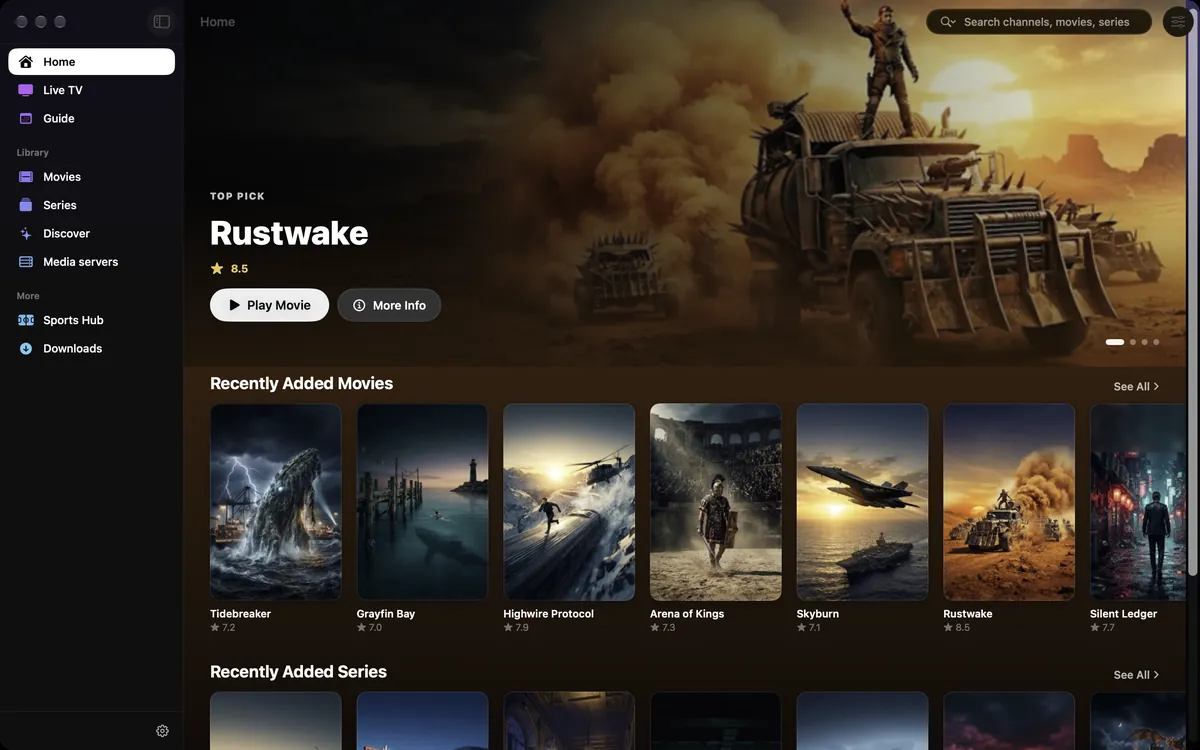
New Home, Live, Library, Sports and Settings. A calm dark look that takes its colours from what you watch. The same look on Apple TV and Mac.
Everyone in the family gets a profile with their own favourites, history and PIN. Kids profiles now come to iPhone and iPad as well.
Not a sale but new prices: in the US $3.99 a month, $29.99 a year and $59.99 for lifetime. Existing subscribers get the lower price automatically.
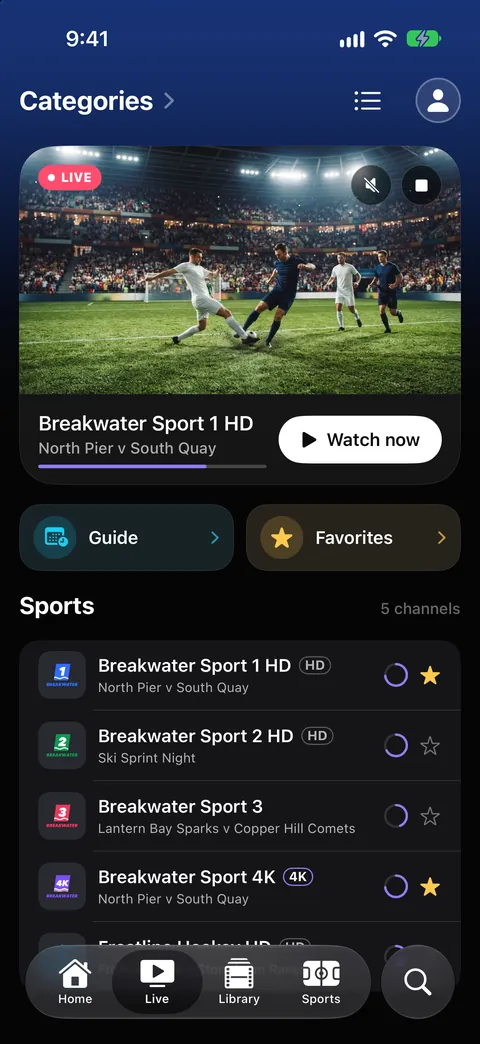
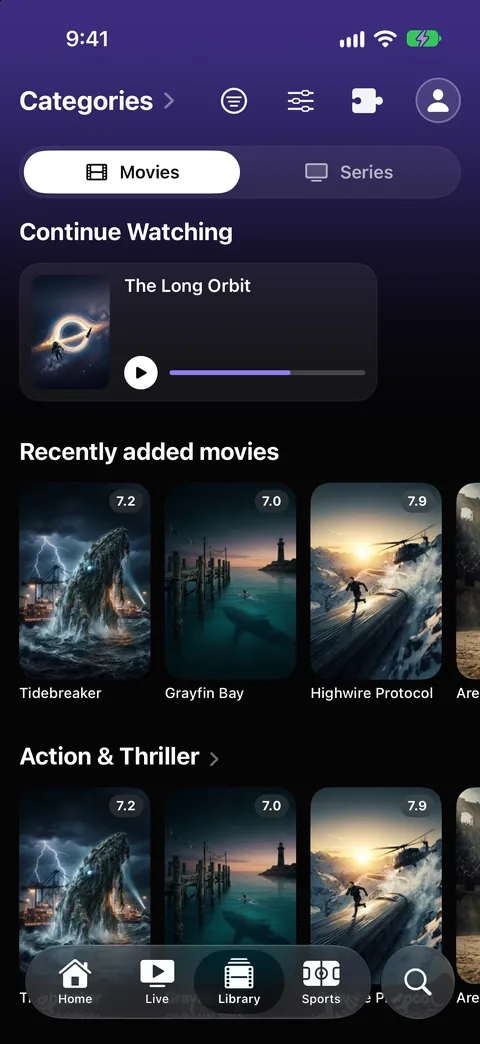
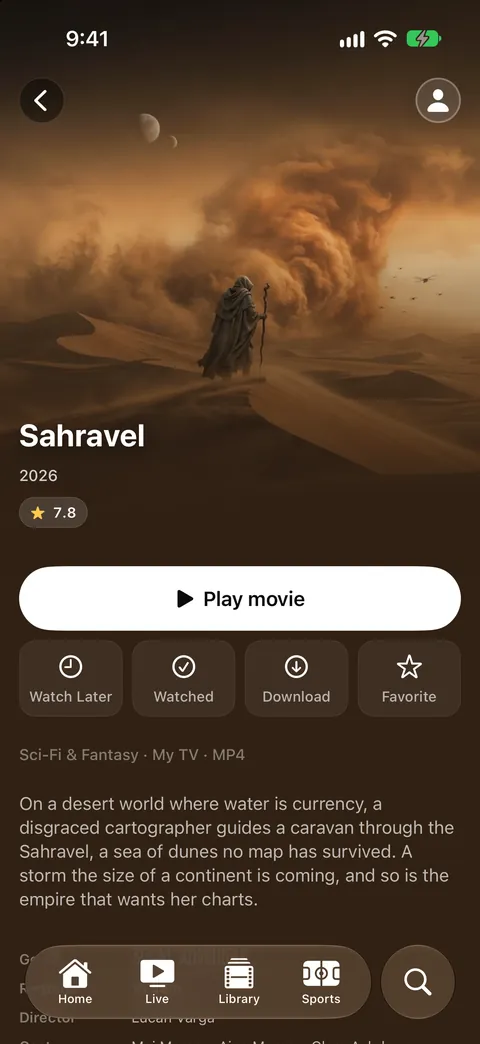
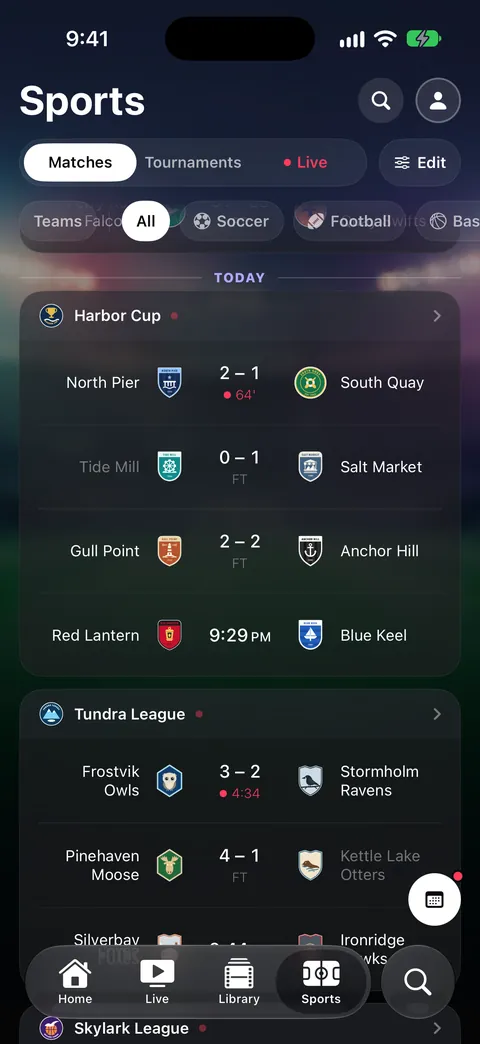
Home, Live, Library and Sports sit at the bottom with a search button of their own. Settings and profiles open from the profile picture in the top corner of every page.
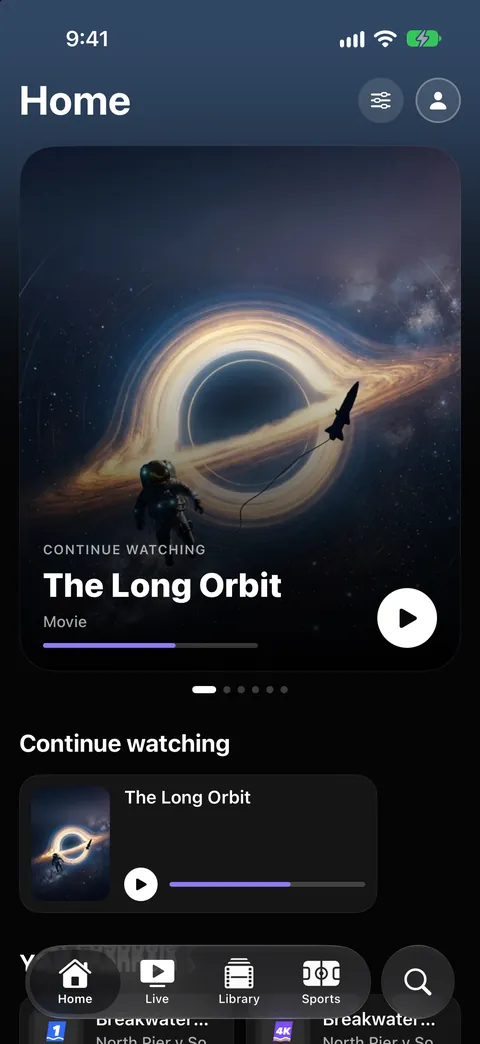
Home opens with a carousel of what you are in the middle of, what is trending in your own library and what is newest. Below it are Continue Watching, your channels with what is on now, recently watched channels, folders, today’s sports, new movies and series, and your list. You can reorder and hide Home’s sections, and connected media servers get their own shortcuts. Favourites are now part of Home.
At the top of the Live page the channel you watched last plays silently. Buttons on the picture turn the sound on or stop the preview. Scroll down and the picture moves into a small floating window, which stays with you in the programme guide too. The categories panel is new: search, sorting, free reordering by dragging, hiding, your own folders and golden favourite folders. The source is picked in the same panel.
One switch moves between movies and series. The page opens with a spotlight carousel of your own titles, and the shelves only show what your sources really have. The new filters can narrow by language too, and category grids page smoothly even in large catalogues.
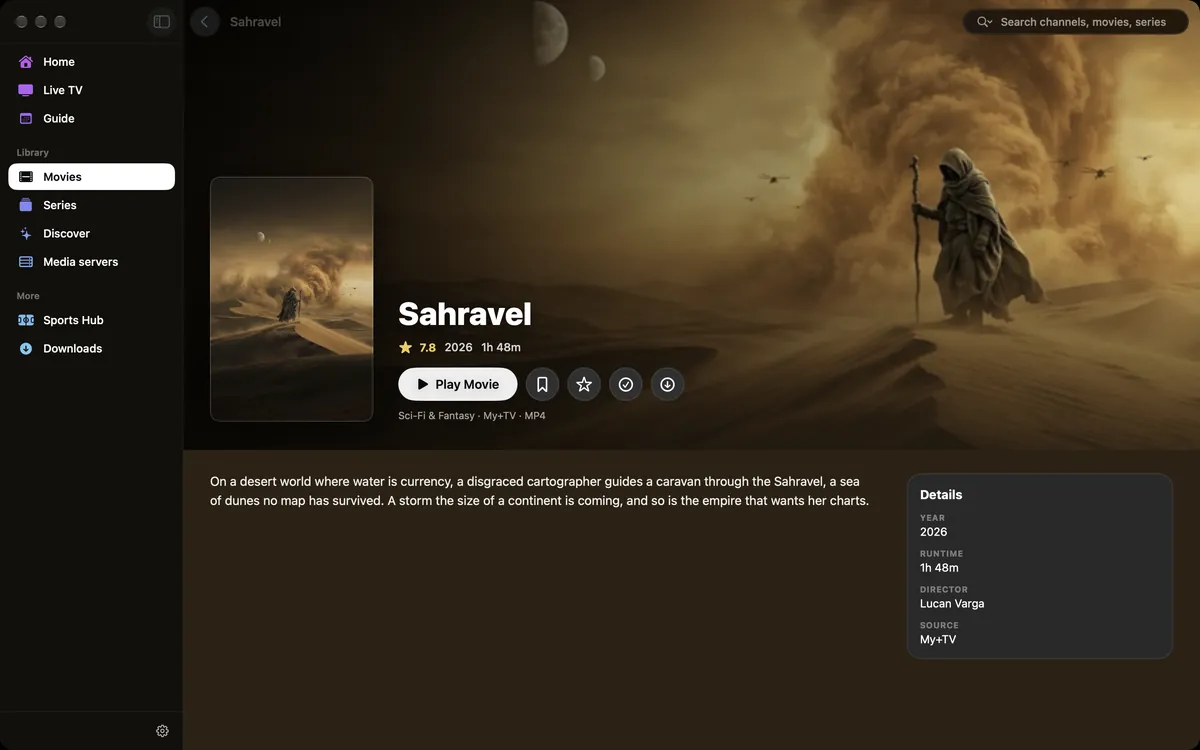
A movie or series page takes its colour from the poster. A white Play button, labelled action tiles (Watch Later, Watched, Download, Favourite, Trakt and Simkl) and a clear version picker. Ratings at a glance: TMDB, IMDb, Rotten Tomatoes and Metacritic, without you having to sign in anywhere.
Settings are rebuilt into clear groups: sources, watching, look, sound and touch, storage and support. Instead of preset themes there is one carefully made look, and you can still pick its accent and card colour yourself. Haptics and the launch sound can be turned off.
On a cold start the Vireko logo draws itself with its own sound, and transitions have more movement. Haptic feedback is there where it means something. With Reduce Motion on, animations become fades.
The player looks familiar, but underneath it is an engine of our own. The full story and a comparison with the old players: the Kiltala Engine guide.
MKV, MP4, TS, AVI, HLS and DASH, and H.264, HEVC, AV1, MPEG-2 and VP9. HDR10 and HLG, interlaced TV and 8K depending on the device. Before, some of this played on Apple’s player and some on VLC.
Opening a live channel starts the moment you tap it, not when the player appears. In our measurements a channel change within the same service took about 0.1–0.2 seconds once the connection to the server was open.
Pull the player down and the broadcast carries on in a small window while you browse. Drag it to any corner, pinch to resize it, or drop it on the X at the bottom to close it.
AirPlay works with everything, MKV films included. Subtitles are the Apple TV’s own options, so changing them or seeking does not reconnect. Picture in Picture shows subtitles on the picture.
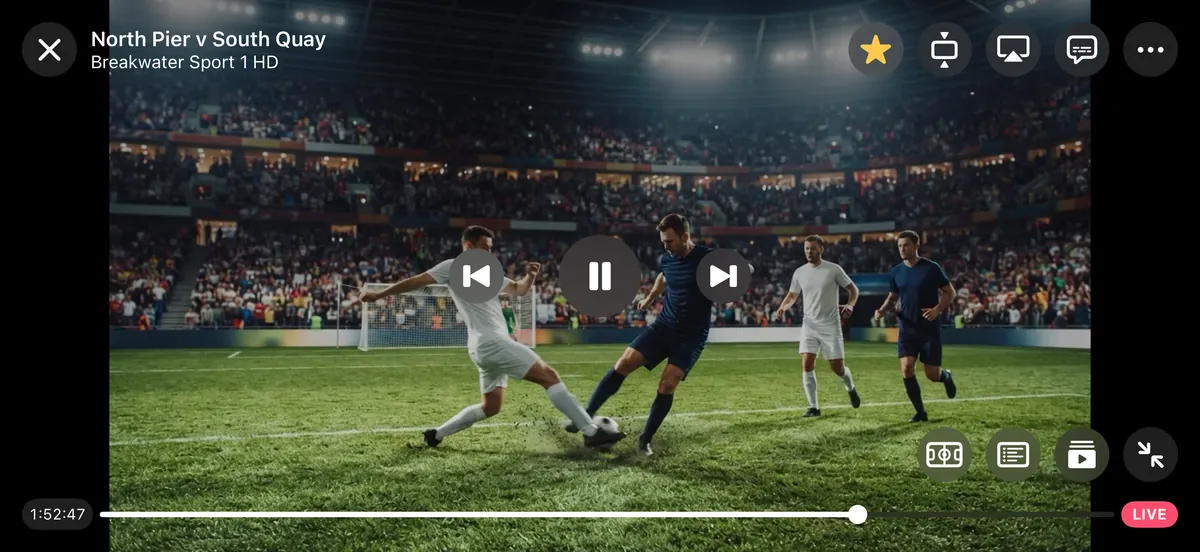
Mark the channel, movie or series you are watching as a favourite right from the player.
The controls hide by themselves after four seconds. They stay while paused, while seeking and while a menu is open.
Profiles used to be on Apple TV and Mac only. Now they are on iPhone and iPad too.
The new setup takes you from a source to watching in a few steps.
The Sports Hub has a new look. It shows scores and fixtures and finds broadcasts of matches among your own channels.
Play stream picks the best channel for a match by name and quality. If there are several, choose another from the list.
When a match is live and the channel is certain, the broadcast plays silently on the match page.
When the programme on your channel is a match in progress, the player has a match button: the score, goals and team stats without stopping the broadcast.
A match page takes the picture and colour of its sport. Scores can still be hidden if you are watching later.
Both got the 3.0 design and the new player engine, with an interface made for their own device: the remote and the mouse.
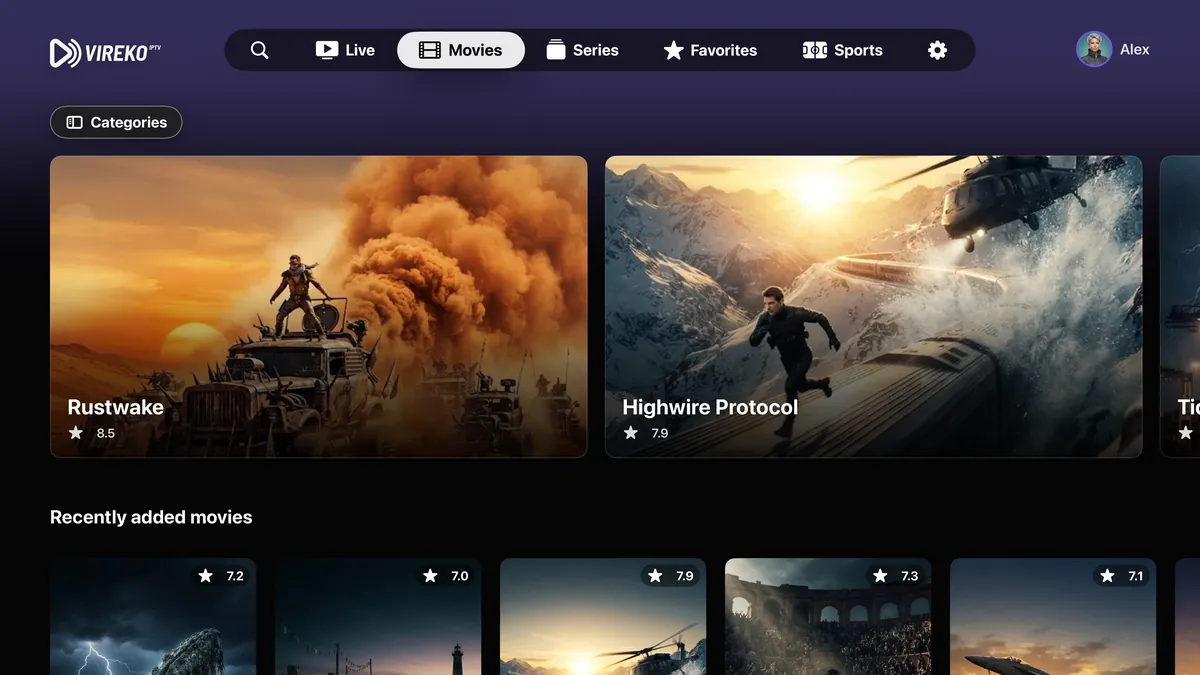

A new top bar and clearer focus: what is under the remote is white. Live, Movies, Series, Favourites, search, Sports, Settings, profiles and kids mode are in the new look, with a new launch animation and welcome screen. Kiltala Engine plays everything unprotected, and with the TV’s Match Content setting on, Vireko asks the TV for the broadcast’s own frame rate and dynamic range (SDR, HDR10, HLG or Dolby Vision). The Apple TV version needs Premium, but the demo is free to try.
A new sidebar, Home, Live TV and the guide, library and title pages, Sports and Settings. The Mac player now plays everything on Kiltala Engine, so MKV and TS files are no longer converted while they play. The player opens in its own window, with Picture in Picture, keyboard shortcuts and search (⌘F).
On iPad the categories panel can stay open, and both screens of the iPhone Duo are part of the new look.
iCloud sync was checked and widened for 3.0. Device saves now show up reliably in the settings list.
This is not a sale but new prices. Existing subscribers move to them automatically from their next billing period.
| Before | Now | |
|---|---|---|
| Monthly | $4.99 | $3.99 |
| Annual | $34.99 | $29.99 |
| Lifetime (one-off) | $89.99 | $59.99 |
US prices. Prices may vary by country and region; elsewhere they have been lowered in the same proportion (in Finland, for example, €3.99, €34.99 and €69.99). The new subscription prices apply from 18 November 2026. The app always shows the App Store price in your own currency.
On iPhone, iPad and Mac, Vireko is free with one source: live TV, the guide, movies and series, five favourite channels and five saved programmes.
Unlimited sources and favourites, movie and series favourites, Watch Later, the Sports Hub, downloads, and Plex, Jellyfin, Emby, WebDAV and DLNA. Apple TV needs Premium. One Premium works on all your Apple devices.
No. Vireko 3.0 is a free update for everyone who already has Vireko on iPhone, iPad, Apple TV or Mac. It arrives through the App Store as a normal update.
Yes. When the App Store price of a subscription goes down, existing subscribers move to the new price automatically from their next billing period. You do not need to do anything.
No. From version 3.0 on, all unprotected content plays on Kiltala Engine and there is no engine to switch. Only protected DVB-I broadcasts (FairPlay) play through Apple’s player, because protected content cannot be played by anything else.
Yes. The first profile inherits everything the app had before profiles: sources, favourites, folders, resume points and settings.
Vireko still needs iOS or iPadOS 17, tvOS 17 or macOS 14 or later. How demanding a stream a device can play depends on its video hardware: 8K, for example, needs a device with an 8K decoder.
Vireko 3.0 is for Apple devices. The version for Android phones and Android TV develops as its own app on Google Play.
No. Vireko is a player that plays only sources you already have access to, such as an IPTV service’s playlist or your own media server. It does not sell or provide content.
Open the profile picture, choose Manage Profiles and add a profile. Pick Kid, then a name, a character and an age group. The first time, you create a grown-ups PIN and a recovery code, and then choose which folders and channels the kid can see.
What to check before you choose an IPTV player for Apple TV (sources, programme guide, catch-up, formats, price) and where Vireko fits.
IPTV on iPhone and iPadWhat to check when choosing an IPTV player for iPhone and iPad (sources, guide, Picture in Picture, AirPlay, price) and where Vireko fits.
IPTV on Android and Android TVWhat to check when choosing an IPTV app for Android phones and Android TV, and where Vireko fits.
This guide is written by Kiltala Oy, which also builds websites for businesses in Lappeenranta and the rest of South Karelia, and remotely across Finland.
A website for your business, a review of your current site or an app idea. We will reply soon.